
Actionable alerts
Overdue debts, anomalies and findings that need to be checked - with the option to continue to the relevant card, document or process.

B1UP
More flexibility, less manual work and the shortcut between "we would like" and "it works".
B1UP makes it possible to adapt screens and processes in SAP Business One using built-in tools, and in many cases to replace dedicated development with targeted adaptation.
Let's see what you can improve
Sometimes what you lack in SAP is already possible - you need to know how to get to it.
A button that performs several actions, a check that prevents an error or a screen that displays the correct information. Before starting a development project, we check what can be achieved with the existing tools. This can save significant development costs, shorten implementation and simplify maintenance later on.
Our goal is to choose the way that suits your needs and build a solution that works well every day.
Adjusting fields, action buttons and shortcuts. Check rules that identify missing information or conditions that were not met, and functions that facilitate repeated operations.
We start with the people who use the system: what do they do over and over again, where does the process get complicated and what needs to change to make it easier for them to work.

A good dashboard highlights what needs attention, clarifies the picture and focuses the work. From the information it is also possible to perform actual actions.
Overdue debts, anomalies and findings that need to be checked - with the option to continue to the relevant card, document or process.
Filtering, sorting and going down to details help to understand what is behind the numbers and to focus on what is important for your position.
Centralization of documents and tasks according to situation, responsible and priority, to know what to handle now and what needs to happen next.
Opening documents, switching to settings and activating actions defined in the application - without restarting the search for the information.
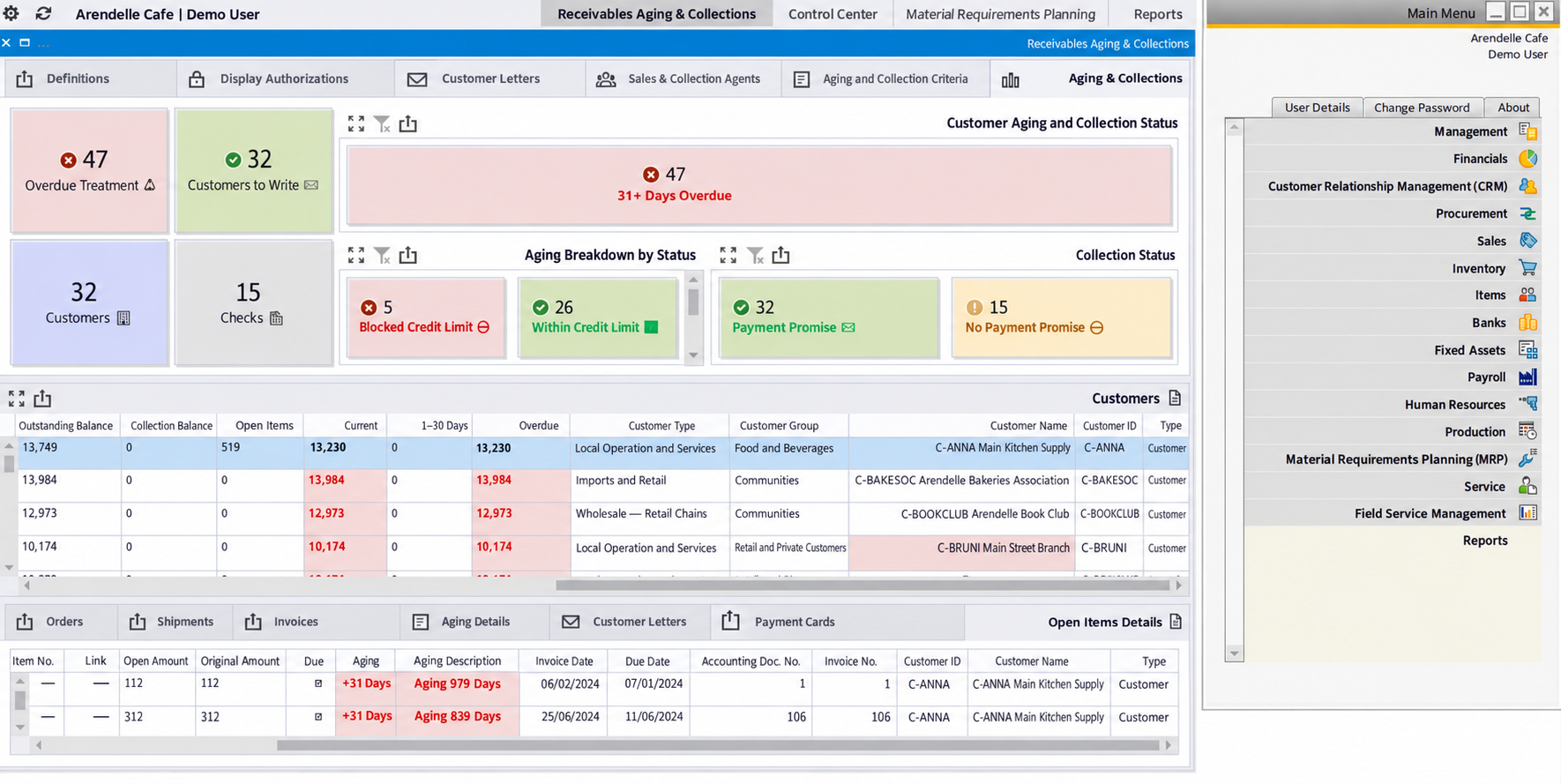

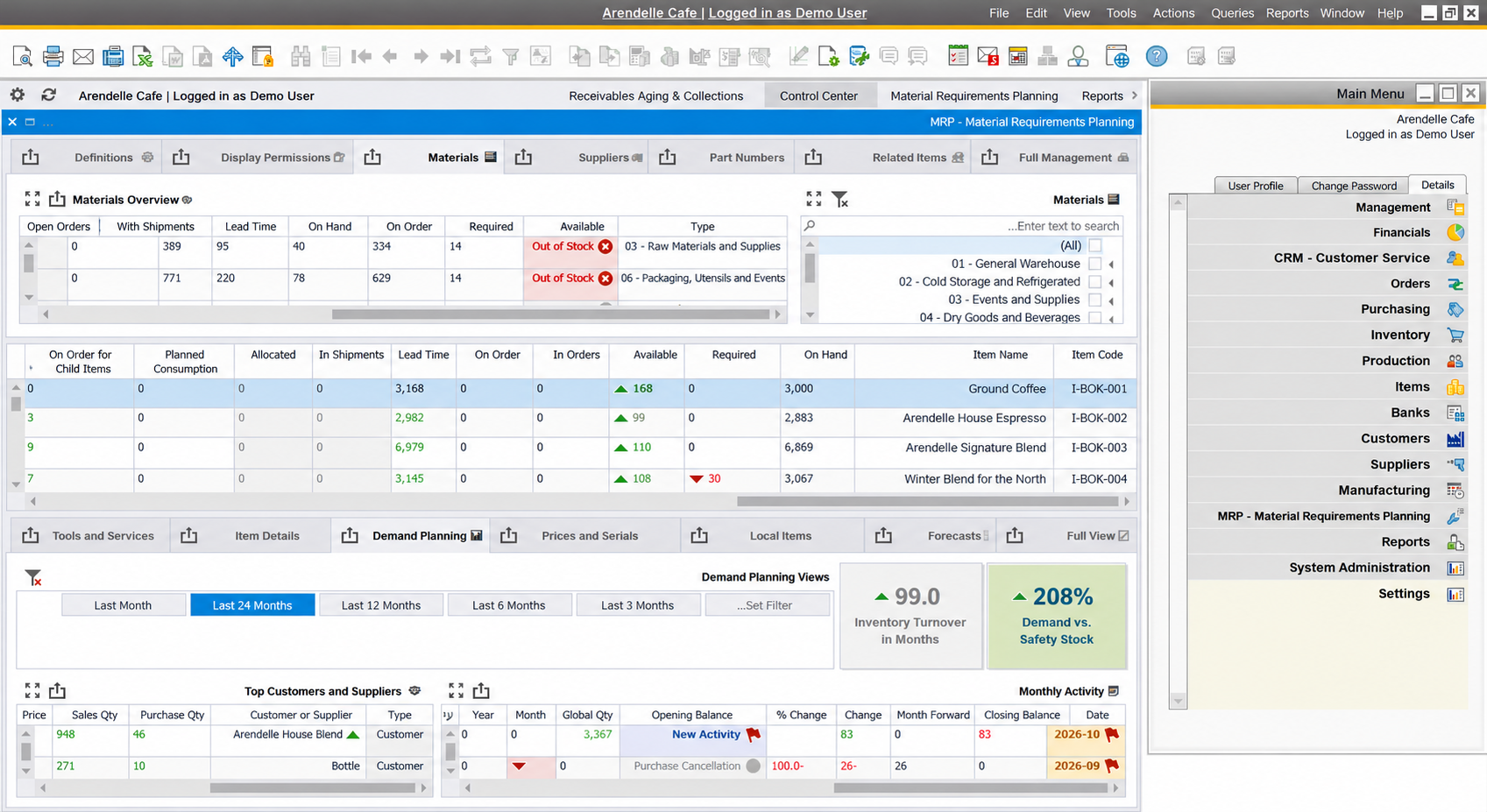

Inspiria dashboards within SAP Business One. The available actions are determined by the application and permissions.
Definitions, rules, queries and functions that can be managed from the B1UP tool. According to the type of adjustment, you can also export and import settings, and combine advanced capabilities when required.
In this way it is possible to build adaptations that a qualified implementer can understand, check and update according to the need, licensing and permissions. When the way of working changes, there is a basis that you can continue to work with.

Our leading expertise at B1UP in Israel was built from working in the field - from a deep familiarity with the tool, from solutions and implementations that we carried out.
We are Boyum's Silver partners, and connect the technological ability to an understanding of the processes, people and needs of the business. Our experience makes it possible to identify what can be done quickly, what needs to be characterized in depth and how to build a match that will continue to serve you.

Tell us about the action that wastes time, the control that is missing or the screen that you would like to change. We will look at how you can turn the desire into a solution.
Let's talk about your SAPMore information from Boyum
About B1UP on the Boyum websitefor the B1UP brochureThe illustrations on the page are illustrations worked on the basis of Boyum's official materials; They are not screenshots of the product.