 Inspiria.
Production order status
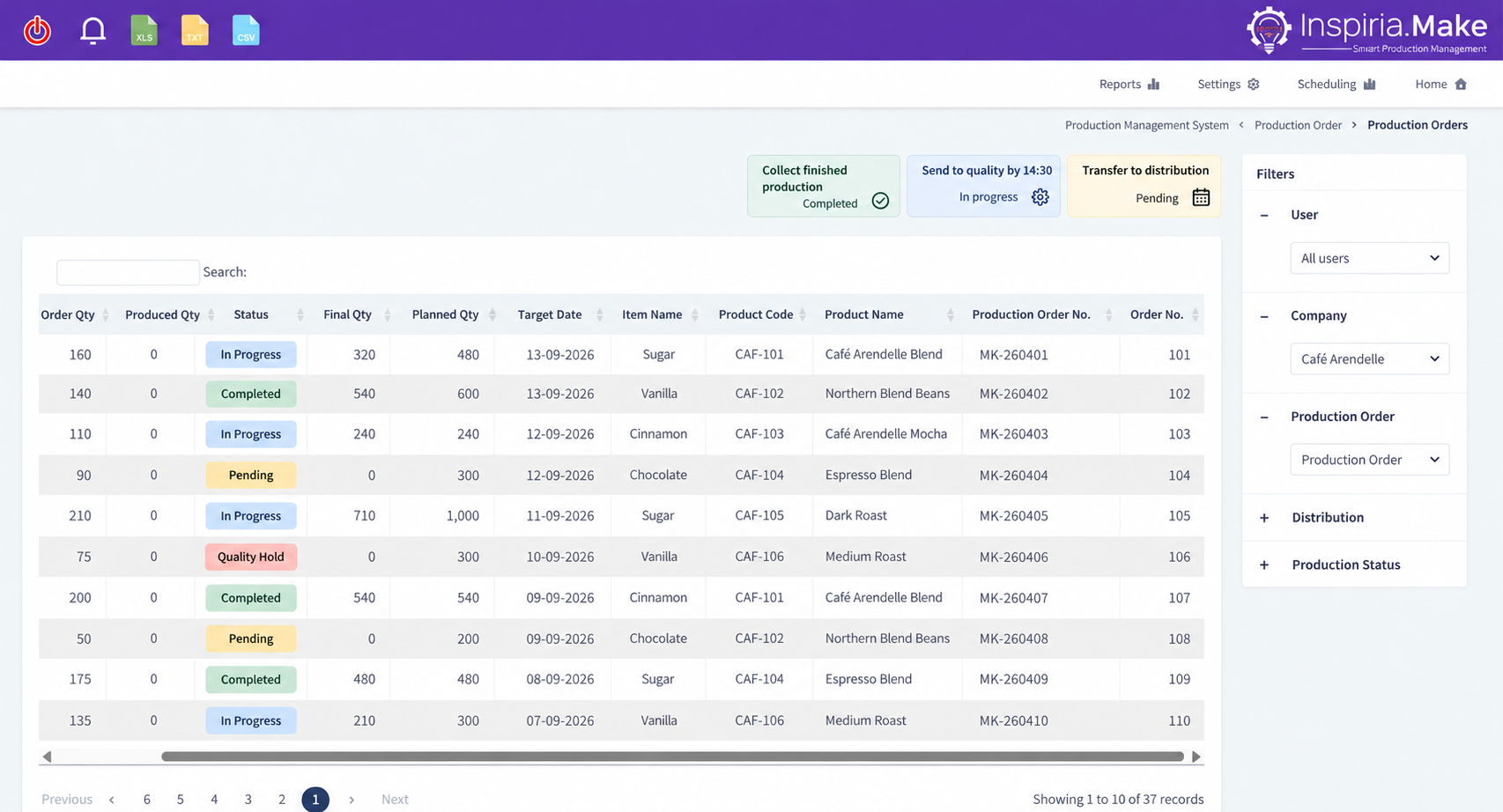
Tracking active, planned and completed orders, and distinguishing between work that is progressing and work that has stopped.

Inspiria.Make
Assignment, production reports, dashboards and quality control - connected to a work environment that allows you to see the progress and manage the execution.
Inspiria.Make makes the report accessible on the WEB from any device, including a cell phone, and connects the information from the field to the business processes and to SAP Business One.
to the Inspiria.Make workspace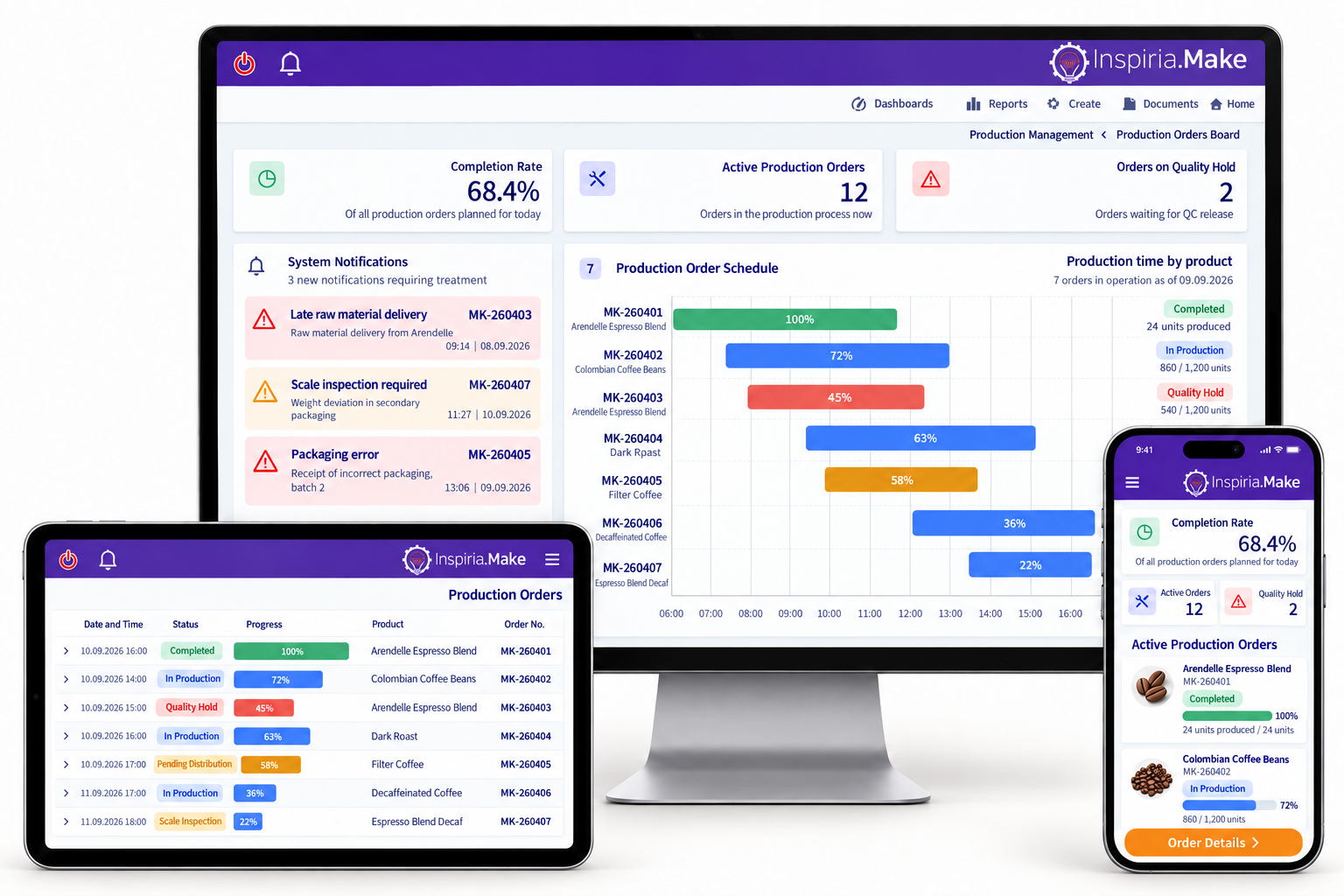
Good production decisions rely on clear information: what has been started, what has been completed, where a delay has occurred and what needs attention.
Manual reporting and late typing make it difficult to get an up-to-date picture and increase the risk of discrepancies. Digital reporting as part of the work makes it possible to consolidate the data, track the progress of the orders and identify anomalies earlier.
Inspiria.Make connects planning, execution and control. The production managers get a centralized picture, and the workers an accessible reporting environment that is adapted to their tasks.
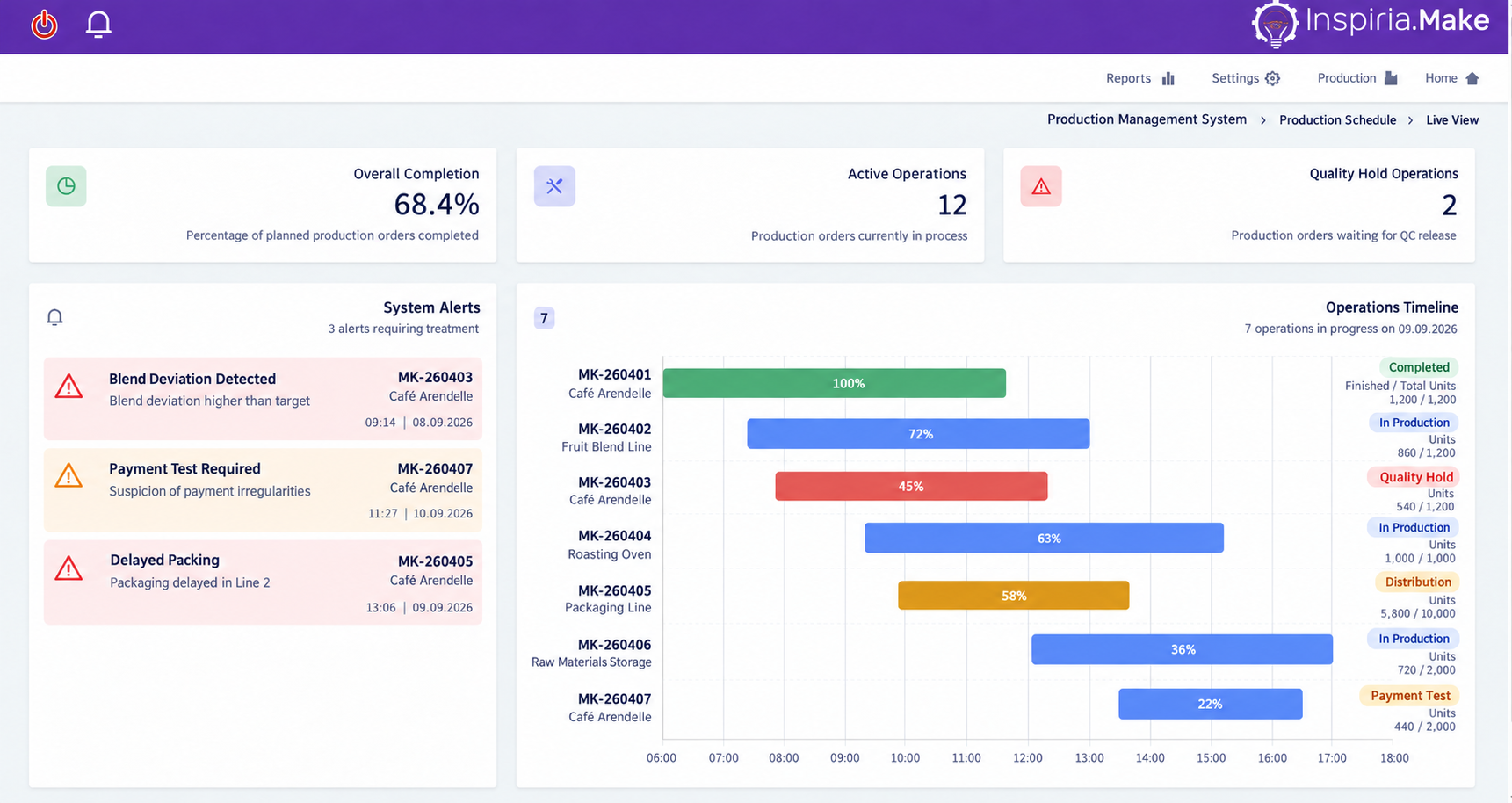
The dashboards centralize the production data and make it possible to understand the state of the work without collecting reports from separate sources.
Tracking active, planned and completed orders, and distinguishing between work that is progressing and work that has stopped.
Examining the planned quantity against the reported quantity, to identify gaps and track progress.
Concentration of stoppages and events that require inspection, alongside accepted and rejected output data according to reports.
Progress data and working times help to examine performance, understand where delays occur and improve the way of working.
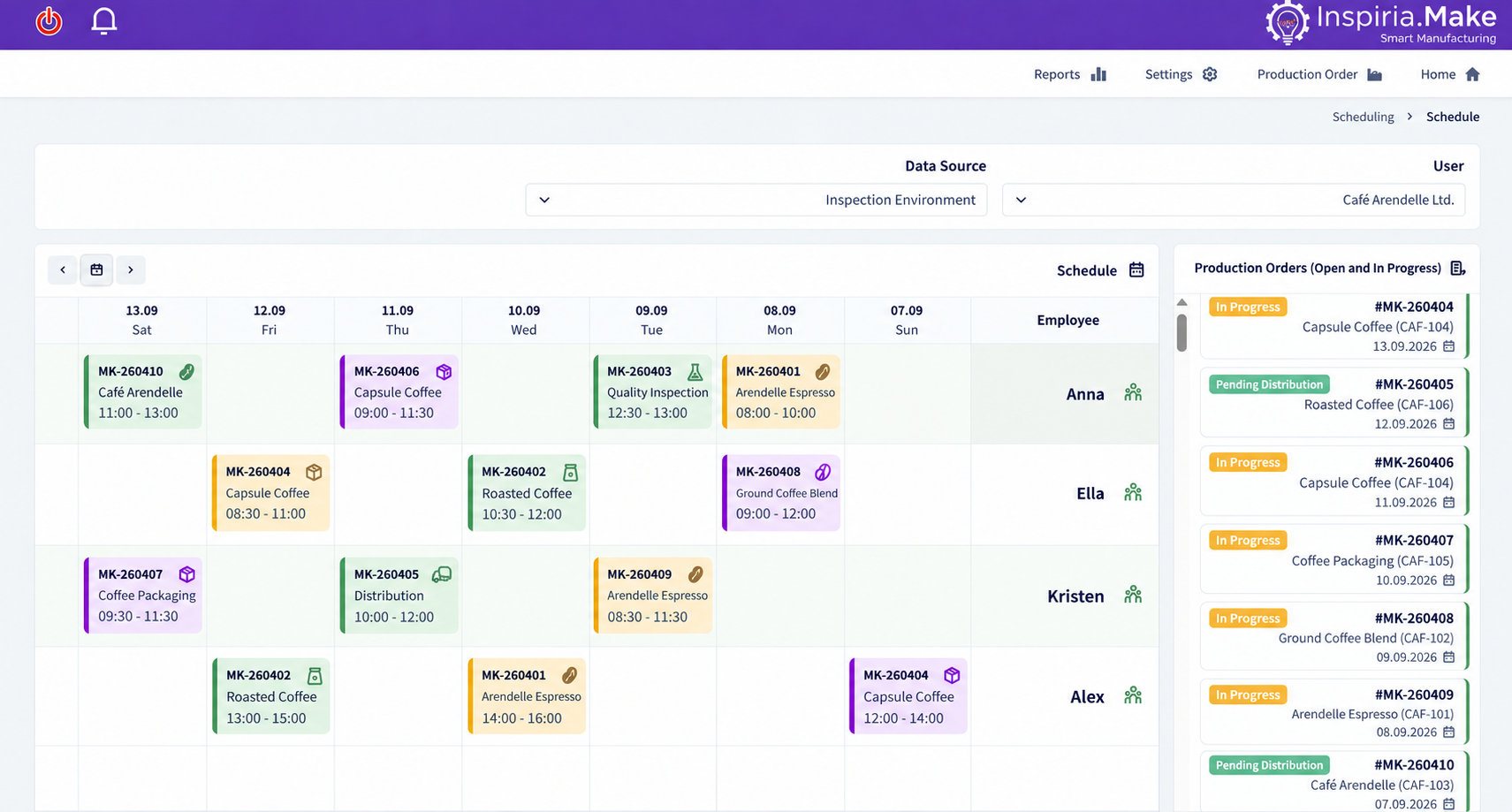
The assignment board shows the work orders and tasks according to employees and deadlines, and makes it possible to organize the work in an accessible way.
When the tasks are centralized on a calendar, it is easier to see what is planned for each employee, to identify a concentration of tasks and to update the assignment when the needs change.
The connection to the performance reports makes it possible to follow the progress and examine the plan against the actual work - as part of a single management environment.
Computer at the production station, tablet or cell phone: employees can report using the browser, from their workplace.
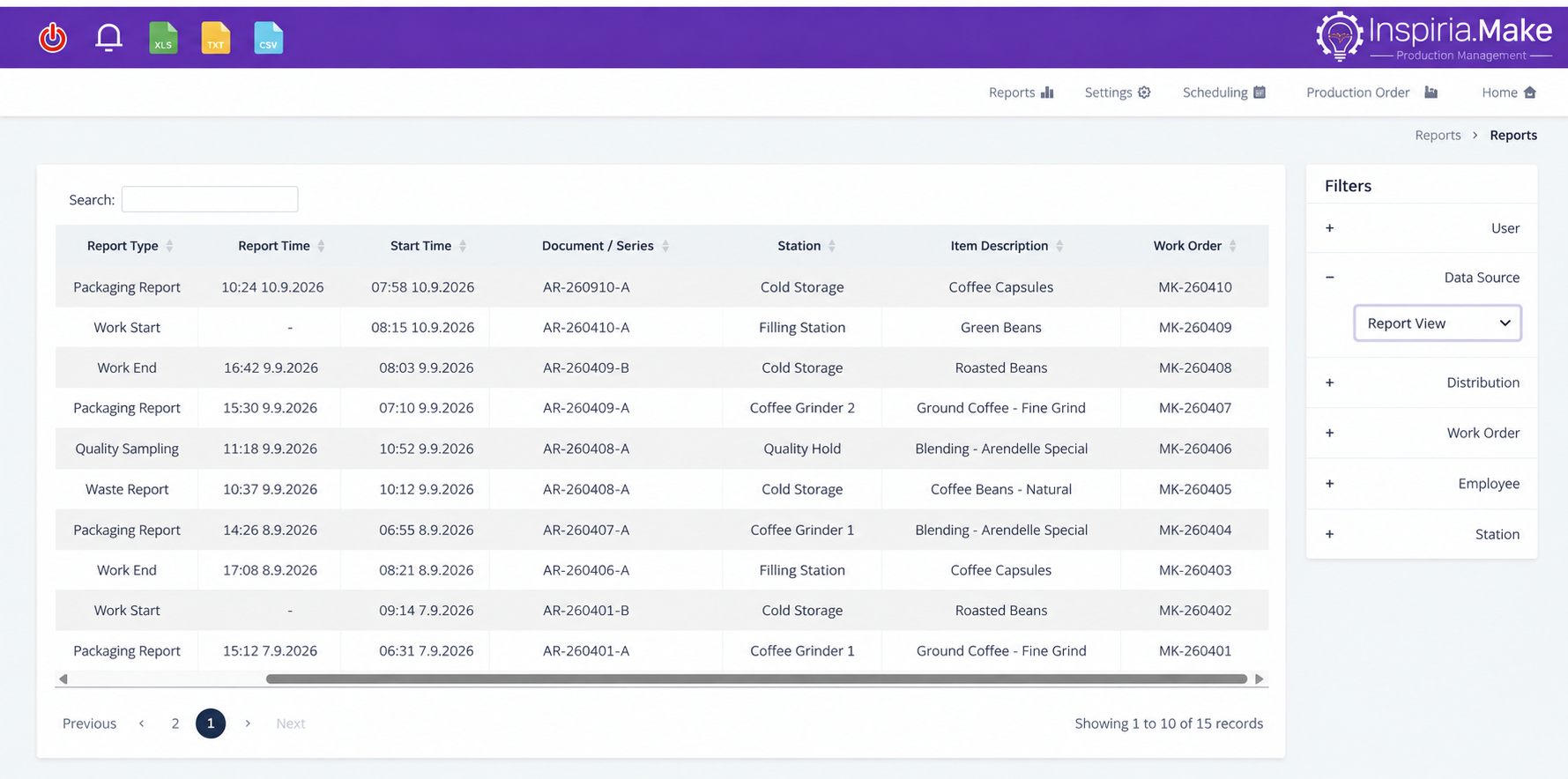
Reports of progress, output and events in the process become part of the work routine. In this way, the need for forms and transferring information for additional typing is reduced, and a clear sequence of reports throughout the production order is created.
We adapt the reporting process to the team and the actual tasks, and accompany the training and implementation. The goal is a report that is easy to carry out consistently, and that the information obtained from it is useful to managers.
The quality control module makes it possible to record tests, report rejects and stop the work in the system when follow-up is required.
Centralizing the quality control results as part of the process, so that the information is available for follow-up and clarification.
Documenting a stop following a quality event, and presenting the status of the order to those responsible for continuing the follow-up.
Reporting of defective quantities alongside the normal output, to create a clearer picture of the production results.
The connection between the quality data and the production reports helps to identify recurring events and examine where improvement is needed.
When quality and productivity are managed together, it is possible to examine not only how much is produced - but also what was received correctly and what events affected the result.
A successful implementation connects the factory processes, the team's way of working and the information that the managers need to receive.
We define reporting requirements, scheduling and controls with you, and adapt the application to your work environment. The connection to SAP Business One makes it possible to integrate performance management into business processes.
From the definition of the process to the ongoing training and support - we accompany you so that the system is a useful and consistent part of the daily work.
Let's talk about your production floor